If you run the Playbook in a Claude Project, you know the chores. Start a new chat for each task. Paste your instructions into a settings box. Download the tracker, then upload it again.
Those chores are going away.
What changed
Anthropic, the company that makes Claude, announced a redesign of Claude Projects on September 17, 2026. A project used to work like a folder of separate chats. In the new version, a project is one ongoing conversation. You say what you need as it comes up. Claude starts a thread for each piece of work and reports back.
Every thread starts with your project's files and instructions. That means each one already knows your athlete's Targeting Brief and Athlete Dossier.
Why this is a big deal for recruiting families
I spent a morning running the Playbook in the new version with a test project. Two things stood out.
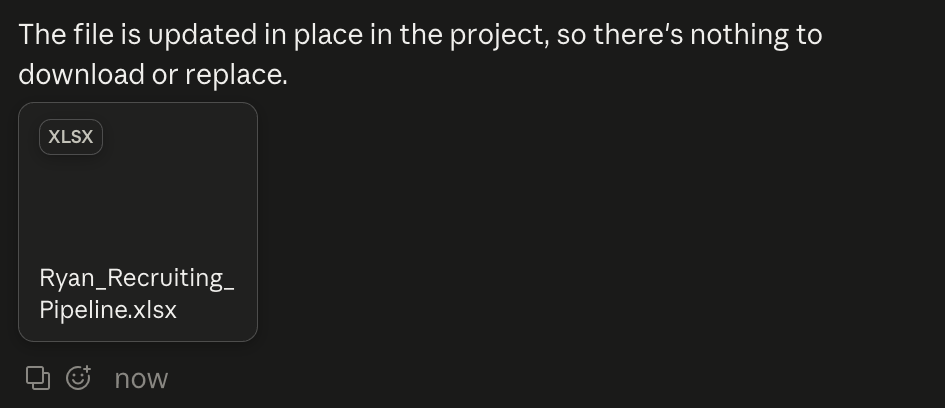
Your tracker updates in place. I gave Claude a camp invite to log. It updated the Pipeline Tracker right in the project. Nothing to download and nothing to upload again. It worked the same in a browser.
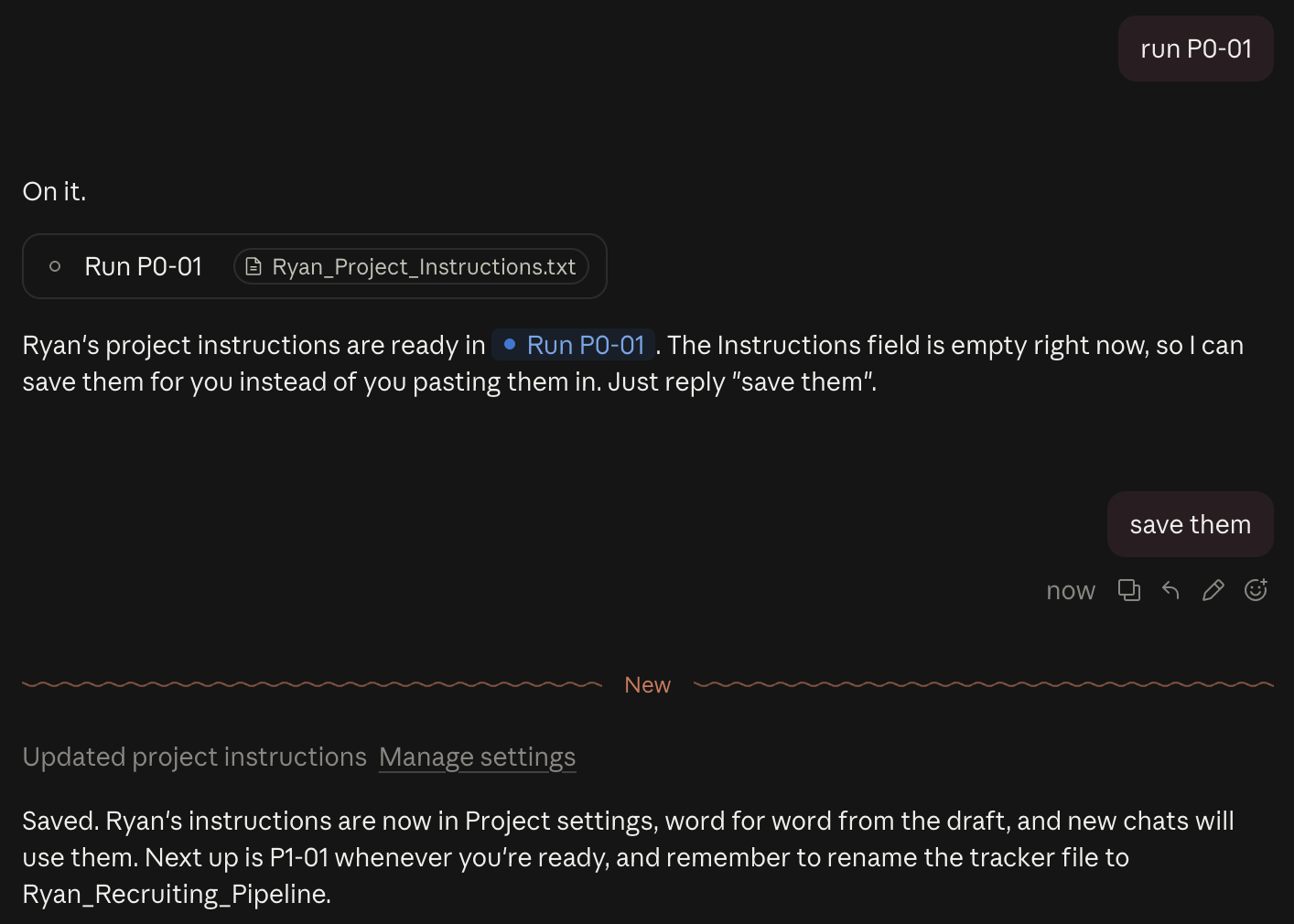
Claude saves your project instructions for you. No copying a block of text and pasting it into a settings box. Claude showed me the instructions, I replied "save them," and it saved them.
Three more things I liked.
You stop managing chats. Open your project and type "Run P1-01." Claude gives it its own thread. Later I typed a question about core GPA into the main conversation, and Claude sent it to the thread that was already building the Dossier. I didn't have to go find the right chat.
Your files live in one place. The new version calls it the Library. It holds the files you add and the files Claude produces.
It keeps working when you step away. Anthropic says threads keep going after you close your laptop. I answered Claude's questions from my phone and it picked right up.
What this means for the Playbook
I've rewritten the Playbook for the new version. The Setup Guide now has one path: create a project, add your four Playbook files and go. Claude saves your project instructions for you, and your tracker updates in place.
Already own the Playbook? Once the new version reaches your account, download the new Prompt Library and replace the old one in your project. That's the biggest change.
Do you have it yet?
You might. Anthropic is rolling it out in stages. It went first to Pro and Max accounts that had no projects yet. If you're new to Claude, you may have it from the start. If you already have a project, Anthropic says it keeps working as it does today and gets upgraded in a later stage. Anthropic hasn't said when. If you'd rather not wait, you can join Anthropic's waitlist. I have it on the Pro ($20) plan, the plan the Setup Guide calls for.
Anthropic's announcement says it started with people who use Claude Code, its tool for programmers. Don't let that throw you. I don't code and never have, and I have it.
Still on the old Projects? If you already own the Playbook, keep using the files you have. They work as written. If you're buying now and don't have the new Claude Projects, don't worry. You can still email me at alva@getseenplaybook.com and I will send you the version for the old Projects.
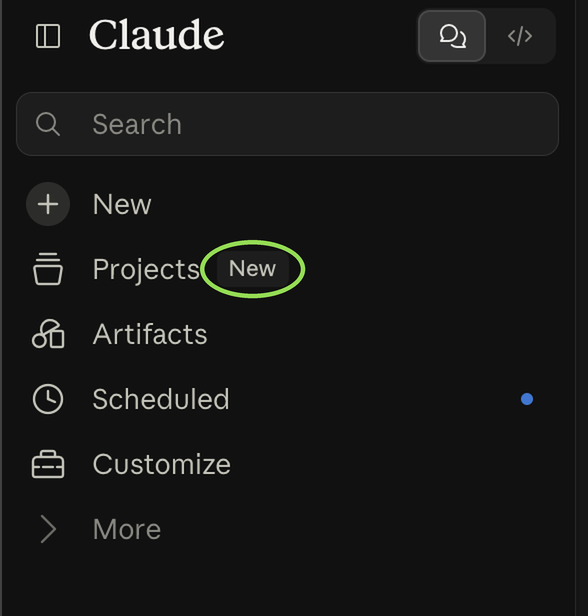
You'll know it has reached you when you see a screen that says "A project is now a conversation with Claude" or see "New" displayed next to Projects. The What's Changed page tells you what to do when that happens.
Your project list shows it too. In the new version, each project has a small colored icon. Projects made in the old version don't have one.


One thing to watch
Anthropic says the new projects can reach your usage limits faster. I tested the Playbook's heavy work on the Pro plan, and it fit with plenty of room. Here's what we found.
Each thread can have its own effort setting. In your project settings, under General, set Thread effort to High once and every new thread uses it.

I'll keep the What's Changed page current as this rolls out.
Alva
Get new recruiting tips by email.
One short email when a new tip goes up. No spam.
Sources: Projects redesigned: from folder to conversation (Anthropic, September 17, 2026) and What are projects? (Claude Help Center).